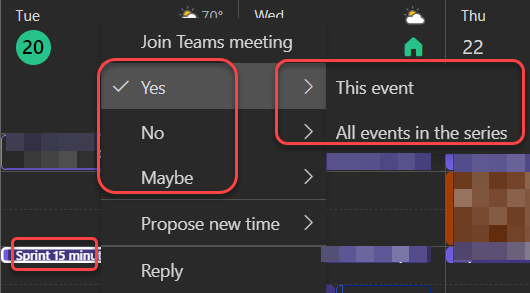
It used to be that if you were using Outlook on the web for your calendar and you wanted to RSVP a meeting invite, you had to either open up the calendar entry or navigation through an RSVP fly-out menu if you right-clicked on the meeting entry. Now, the Yes/No/Maybe options are available at the main level of the right-click menu. Here’s how it looks…
Instead of getting an RSVP menu option that you had to click on first, the Yes, No, and Maybe options are available to click on without further navigation:

And if the meeting is a repeating entry, you have the additional fly-out to RSVP to just that specific occurrence or to the entire series:

 One Minute Office Magic
We’re getting closer and closer to people no longer needing that big heavy client on the desktop. I’ve been using the browser for years, it does everything a mail client needs to do.
LikeLike