
This is yet another reason why I really like using the browser-based version of Outlook. When searching, it automatically shows you the folder where the item was found. Here’s what that looks like…
In this example, I’m searching in Outlook on the web for any emails with the word “external”:

When I get the results back, it shows me each returned search result, along with automatically telling me what folder that email is currently in:
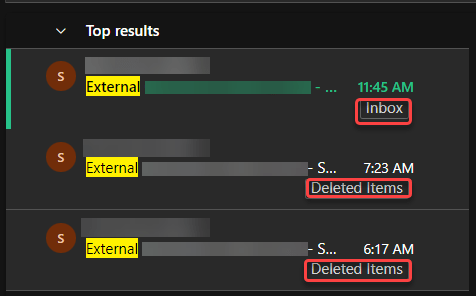
That makes it so much easier to tell whether the search result is something you might be interested in based on whether or not it’s in a particular folder. In this example, I would just ignore the items I had already deleted. 🙂

 One Minute Office Magic