
It’s not uncommon to have emails that are grouped by conversation. However, it can be a pain to manually click on each email to expand it. If you’re using Outlook on the web, you can use the Expand and Collapse conversation button in the menu bar to make that a lot easier. Here’s how it works…
In this example, I have a grouped email conversation with a number of emails collapsed in the viewing pane. Rather than click on each one to expand it, I can use View > Expand conversation to expand the entire list at once:
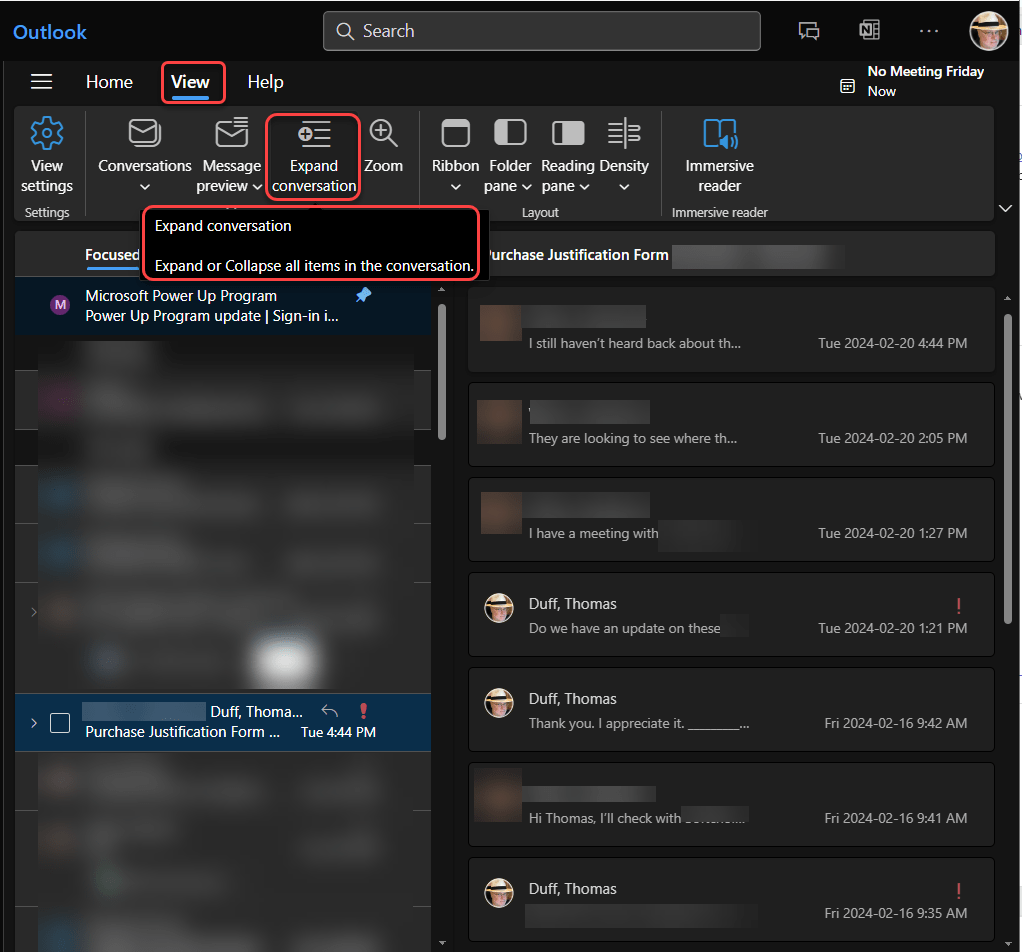
As you can see, they are now expanded out for easier viewing. If I wanted to collapse them again, I could click on View > Collapse conversation to put them back to the way they were:


 One Minute Office Magic