
In Outlook on the web, there’s a cool way to insert a file in the body of your email without having to search around for the option in the menu bar… just use a forward slash (/)! Here’s how that looks…
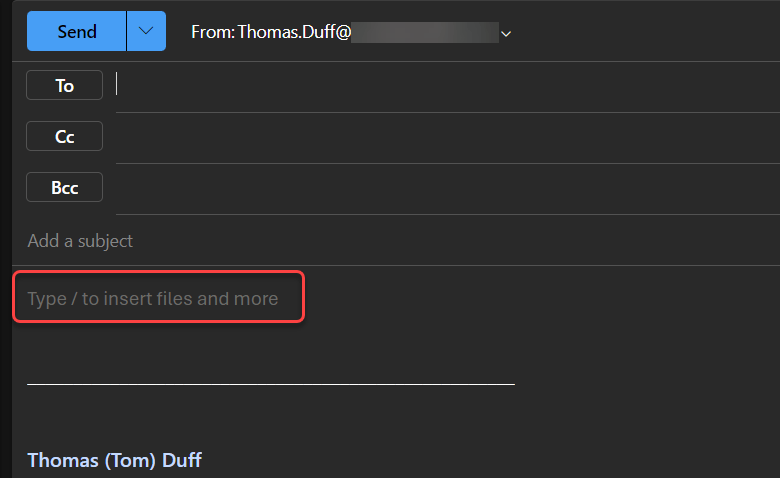
When you create a new email in Outlook on the web, you’ll see helper text in the body telling you Type / to insert file and more:
Here’s an example of where I used the slash to get a list of files that Outlook thinks I might want to use. Please note that the slash has to have a space before it before you’ll see the dropdown menu of files:

If I put part of a word after the slash, the dropdown list will filter on files that start with that word:
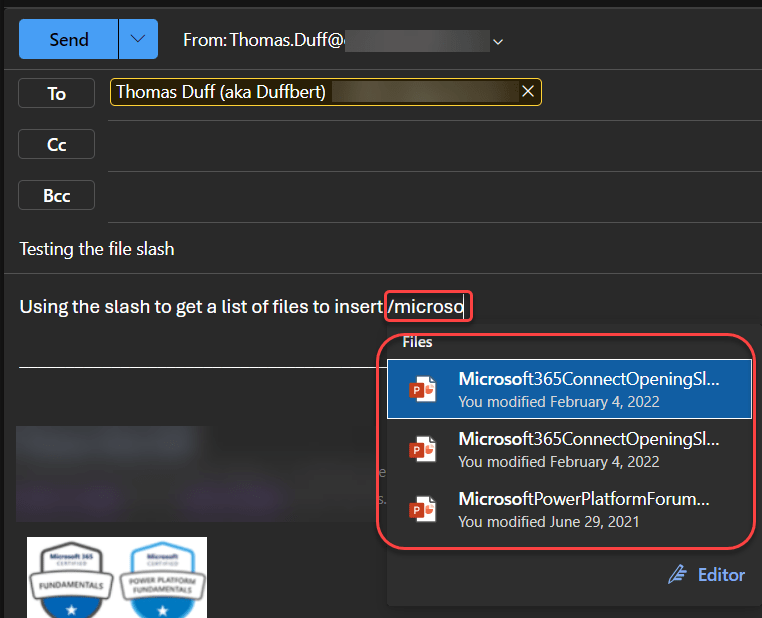
This probably works best if you know the name of the file you want, as I would think the odds of it picking the right files to list are probably small. But if you know the start of the name, this may be a way to save a few keystrokes or mouse clicks.

 One Minute Office Magic