
When you’re working in Outlook on the web, you may have noticed that by default, the reading pane is just a blank canvas. If you’d like to “jazz it up a bit”, you can put a background image on the reading pane to add some color. Here’s how that looks and works…
Here’s what my reading pane looks like with a background image… better looking than just a black wasteland…

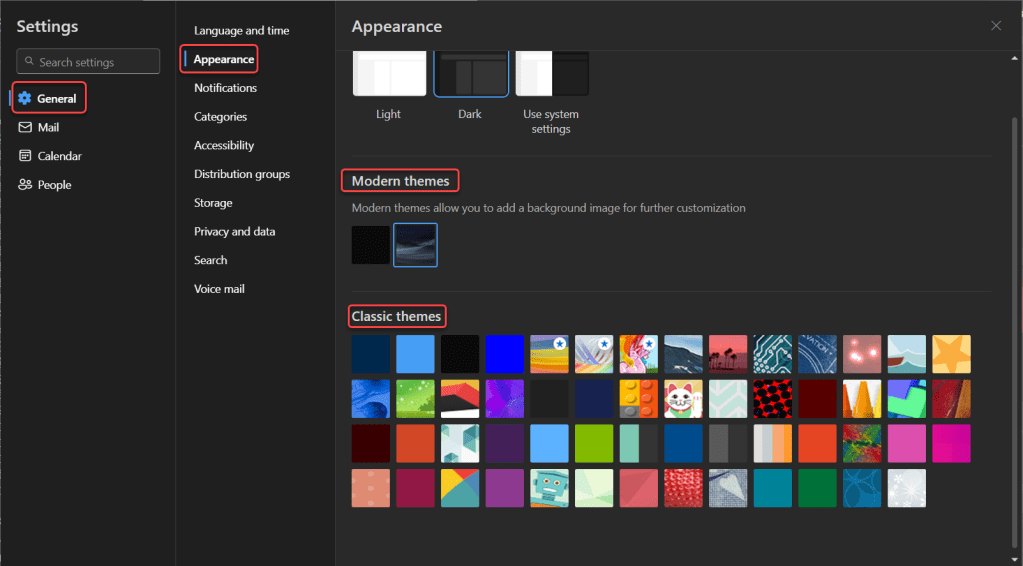
To get to where you can set the image, go to the Outlook settings and select General > Appearance. You can select the modern theme (my choice), or you can choose from one of the classic themes. Just click on the image you want to use, and you’re done:
Granted, this isn’t something that’s going to make you more productive or streamline your work… but it might make you smile a bit more.

 One Minute Office Magic
in the options under modern themes it says you can add a background image, is there any way to customize that image to be something on your hard drive? or are you stuck between picking only the image options listed in that menu?
LikeLike