When you’re looking for a file that’s been shared with you in OneDrive, it’s not uncommon to struggle on the name of the file, but remember who shared it with you or what meeting it was part of. Now you can search for files by person or by meeting in OneDrive, making it easier to find that file that is hiding from you. Here’s what that looks like…
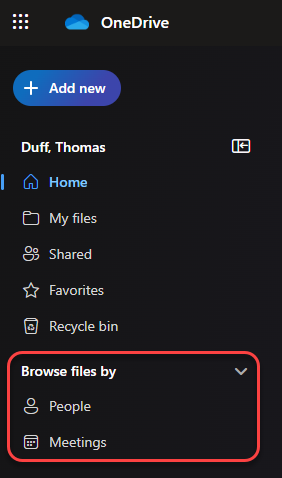
When you launch OneDrive in your browser, you’ll now see two new entries… Browse files by People and Browse files by Meetings:
When I select People, I see a list of people who have shared files with me. It’ll show me the most recent file that was shared, along with a number link showing the number of additional files that they’ve shared with me:
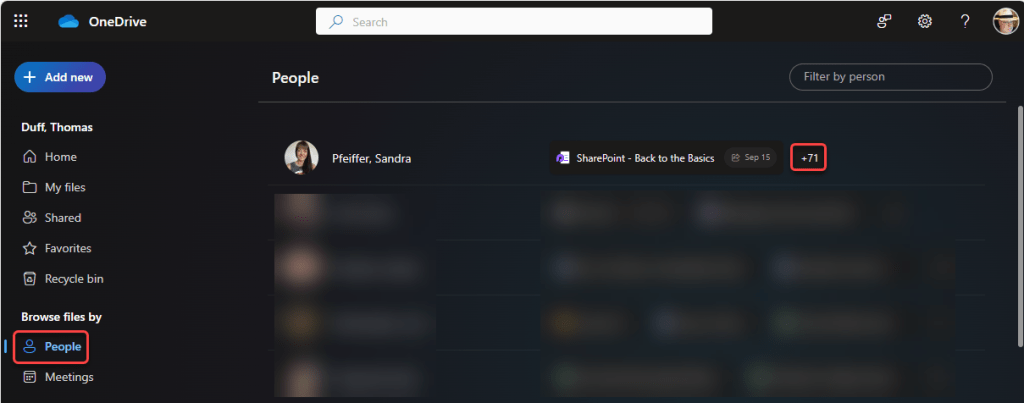
When I click on the number link, I’ll get a list of all of the files that the person has shared with me, and I can select the file from that list:

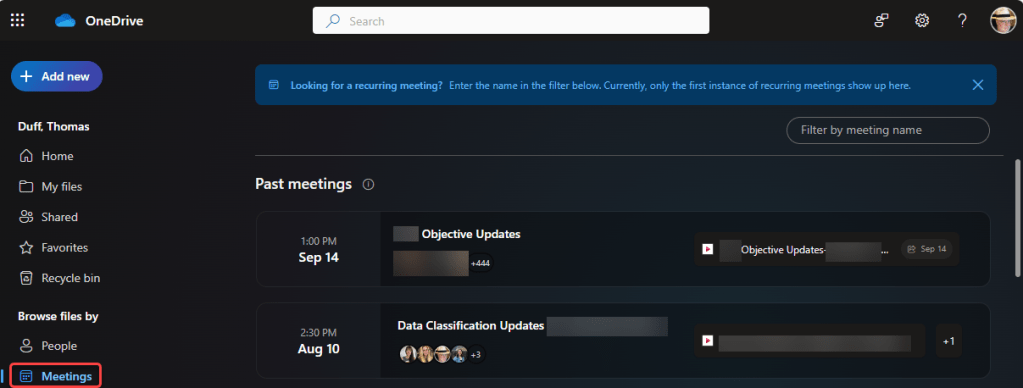
Likewise, if I click on Meetings, I’ll get a list of meetings where files were shared. The most recent meeting is at the top, and the files shared in that meeting show up on the right. If a meeting didn’t have any shared files, it won’t appear on this list:
I love this new way of being able to find files by more than just the name of whatever you’re looking for…

 One Minute Office Magic