
This is a feature I’ve been wanting to see for a VERY long time. You can now create SharePoint news posts that are designed to be sent out via email, with ALL the content viewable in the email! Even nicer is the fact that viewing stats for the news post will include both views via the SharePoint site *and* the inbox. Here’s how all this works…
To create a news post that can be sent via email, click on Add > News post:

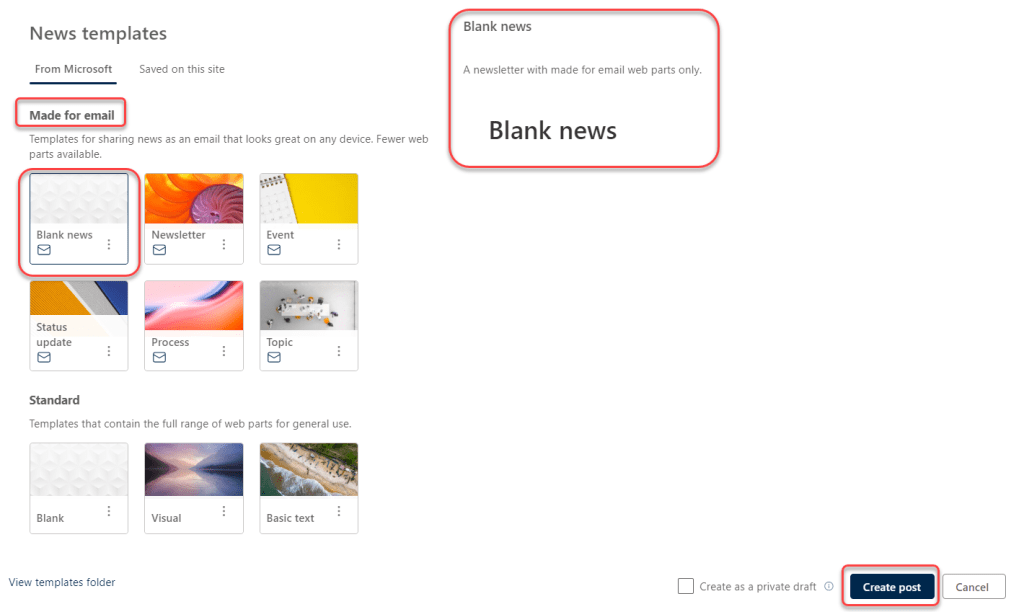
Select one of the Made for email templates. In this example, I’m using the generic Blank news template. When you’re ready to create the post, click Create post:
The template looks similar to other News templates. It starts with a Plain header, and I changed it to be Image and title to match the tips I normally create:

Once I have the News post completed, I can click Post and send to save the post to SharePoint and bring up the email screen:

I get an email panel on my screen where I can fill in the recipients as well as an optional message if desired. When I’m ready for the email to go out, I click Send:

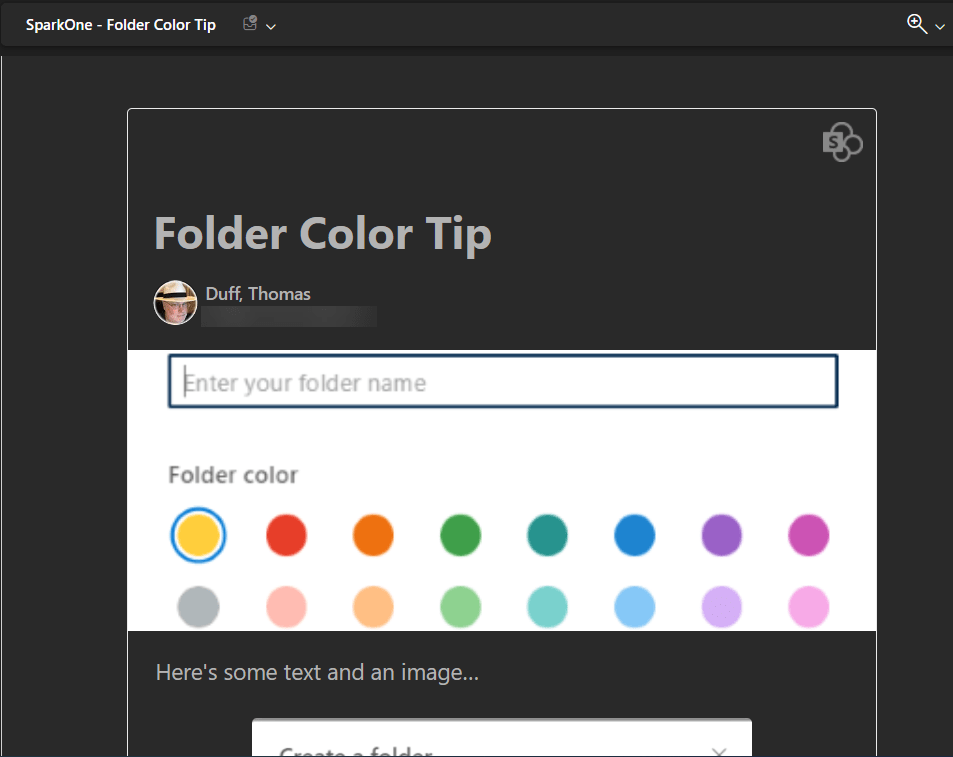
In my inbox, I receive the News post with the title, the image I had in the header, and all the content that I included in the post:
And if I scroll to the bottom of the email, there’s a link to go out to SharePoint to view the post from there:

For more information, check out Introducing new SharePoint news for email feature and SharePoint News for Email templates.

 One Minute Office Magic
I just tried this for the first time. It worked but has a limit of 500 recipients in the To field. In my case, I had over that number so had to send two emails.
LikeLike
I used a distribution list that worked fine…
LikeLiked by 1 person