
Sandra found a cool new feature yesterday that works in the browser-based version of Excel. It’s called Show Changes, and it’s like having a step-by-step version history of everything in your spreadsheet. Here’s what it looks like…
I have a very simple spreadsheet that I’m looking at in the browser. I added three rows of letters, and then inserted a new row, where I entered numbers. When I click on Review > Show Changes, the Changes panel shows me every change in every cell in the order that I made them:
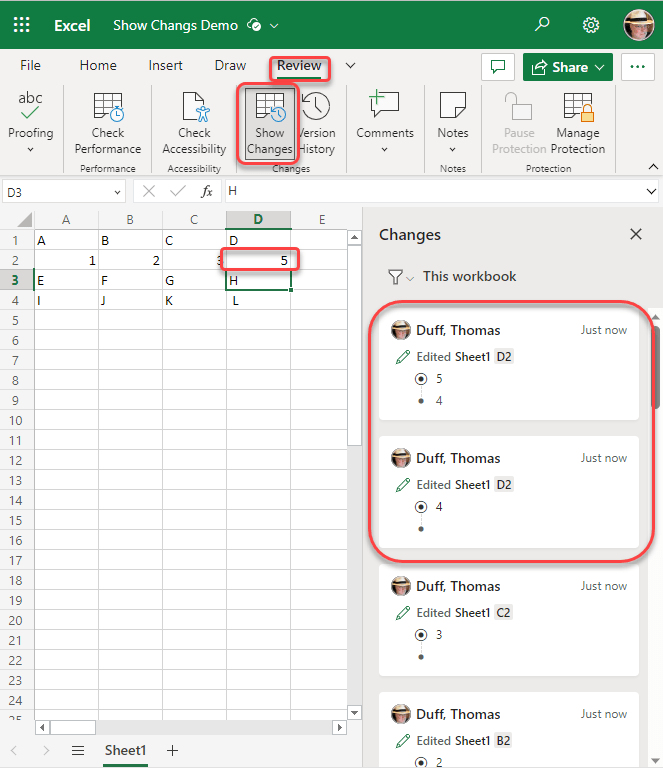
The two changes I have circled show that I put the number 4 in cell D2, and then changed the number from 4 to 5. If I were to scroll down the list of changes, you’d also see where I added a new row.
This is a great feature to figure out what may have been changed in a specific cell if you’re having problems, as opposed to having to revert back to an earlier version of the file and perhaps losing a number of changes.
Just remember… this only works in the browser-based version of Excel, not the Excel client.

 One Minute Office Magic