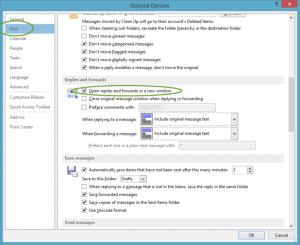
In order to make Outlook 2013 always launch a pop-out window when you reply to or forward an email, follow these steps:
- Go to your Outlook File menu
- Select Options
- On the Mail tab, scroll down and locate the Replies and forwards section
- On this section, enable the option “Open replies and forwards in a new window“
- Click Ok


 One Minute Office Magic