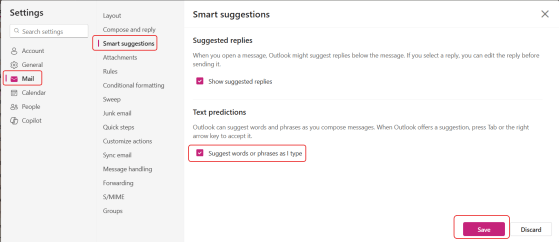
You may have noticed that starting around the first of July, Outlook (in the browser and New Outlook) stopped giving you type-ahead suggestions as you were typing. Looking into that, I found that Microsoft rolled out a change that turned that feature off, even if you already had it turned on. The reasoning was to “improve user control and reduce unintended suggestions.” Unfortunately, I personally liked it. Here’s how to turn it back on so that the text predictions show up again…
 One Minute Office Magic