When you have an image web part on a page, your image is pretty much shaped in some sort of square/rectangle format (unless you do something fancy prior to using it). Now the Image web part gives you the option to apply a shape to the image to make it stand out on the page, Here’s how that works and the different shapes you have available…
Tag: Image Web Part
Stock photos for SharePoint Online pages
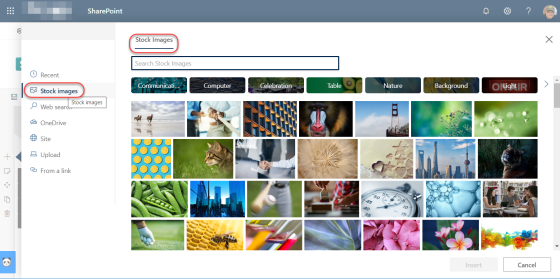
When creating pages in SharePoint Online, I have spent *far* too much time looking for that perfect photo, searching various sites, etc. But now, Microsoft has finally delivered on their promise to provide stock photos for the image web part! This makes picking pictures SO much easier. Here’s how it works…
Resizing images in the SharePoint Online Image Web Part
Image web parts in SharePoint Online are used to easily add images to your web page. However, rarely is your image the perfect size when you first upload it, and you’d be surprised how big a photo can be in full resolution. 🙂 There is now an option in the Image Web Part that allows you to resize your image. Here’s how it works…