Microsoft has decided to retire the Microsoft Lens app that you could use with your Android and iOS devices. You might be wondering “what was Lens?” It was a really cool app that allowed you to “scan” (take pictures) of documents (like receipts) and they would be saved to the application. It was much better than having to scan receipts using a copier or printer. Here’s the information related to the retirement…

Category: Microsoft 365
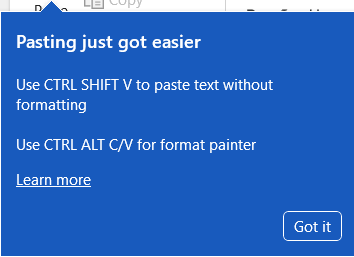
Using a keyboard shortcut to paste in plain text in browser-based Microsoft 365 applications
My wife (who does user adoption and training for Microsoft 365 software) ran across this new feature that popped up on her browser-based Word document the other day. Now you can use a keyboard shortcut to paste in plain text without having to use a drop-down menu to do so. Here’s how that works…
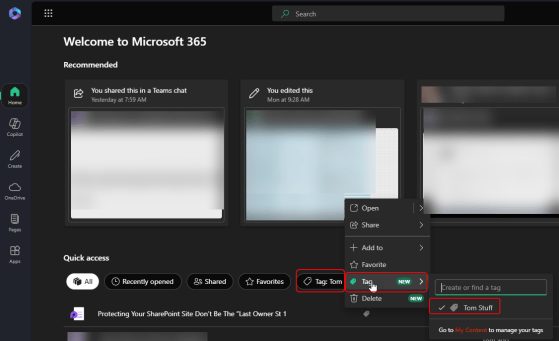
The Tags feature in Microsoft 365 is going away
This is something that, to be honest, I didn’t know existed. If you go to the office.com site and look at the Microsoft 365 home page, you had the ability to tag content for easy retrieval. Here’s what’s going on…
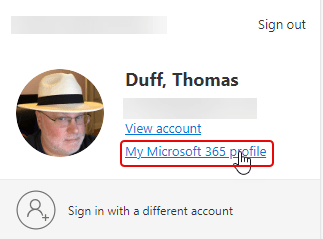
Updating your Microsoft 365 Profile
With the demise of Delve in Microsoft 365, Microsoft came up with a new process for updating your Microsoft 365 Profile information. It’s a much easier interface to use. Here’s what that looks like now…
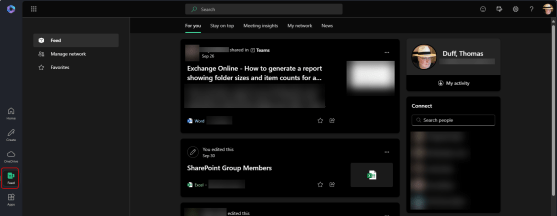
The Feed feature in office.com is retiring November 1st, 2024
If you use office.com as your Microsoft 365 “home page”, you might have seen and/or used the Feed feature found on the left-side navigation rail. This is your heads-up that the Feed feature is being retired starting on November 1st, 2024. It’s not a feature that we’ve talked about much, and I’m going to guess that a fair number of people are thinking right now… “What’s Feed?” Read on for a bit more info…
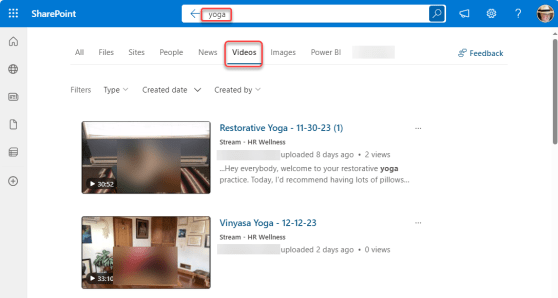
Finding videos in Microsoft 365 Search
If you’re familiar with the Microsoft 365 Search bar at the top of all the M365 applications, you’ll know that once the results come back, there are filter options to narrow down the results, such as Files, Sites, People, etc. Recently, Microsoft added a new filter… Videos. This makes it easier to find that elusive video that’s stored somewhere on SharePoint or OneDrive. Here’s what that looks like…
One (User)Voice To Rule Them All… Feedback for Microsoft 365
Over the last year or so, Microsoft has been slowly (and partially) shutting down the UserVoice feedback sites for various Microsoft 365 products. They had promised a replacement, but there hadn’t been much in the way of details… until now.
20 Microsoft 365 Productivity Tips – MN M365 User Group
Join Christian Buckley and myself as we present 20 Microsoft 365 productivity tips that can help you save time and effort on a daily basis!
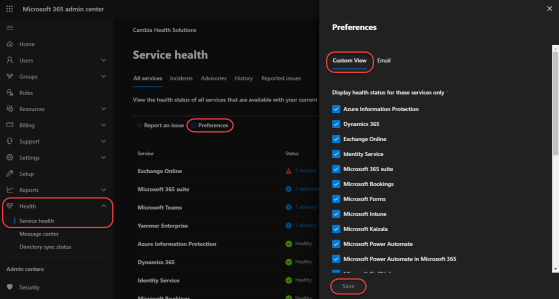
Customize your Service Health page in the Microsoft 365 Admin Center
Microsoft does a great job in providing a single dashboard of Service Health in their Microsoft 365 Admin Center. There’s a new addition that makes it even better… You can now filter the issues to only show information that’s applicable to you in your role as a Microsoft 365 administrator. Here’s how that works…