Tuesday, March 10, 2026
1:41 PM
Have you ever had your browser open with all the tabs you’re using on a project, and you inadvertently close the browser (and you lose all your open tabs)? A colleague of mine had that happen today, and I asked if they had the browser set to open with the tabs that were open when the browser was closed. Since they didn’t know about that setting, I figured I’d share that setting with you in Edge, Chrome, and Firebox…
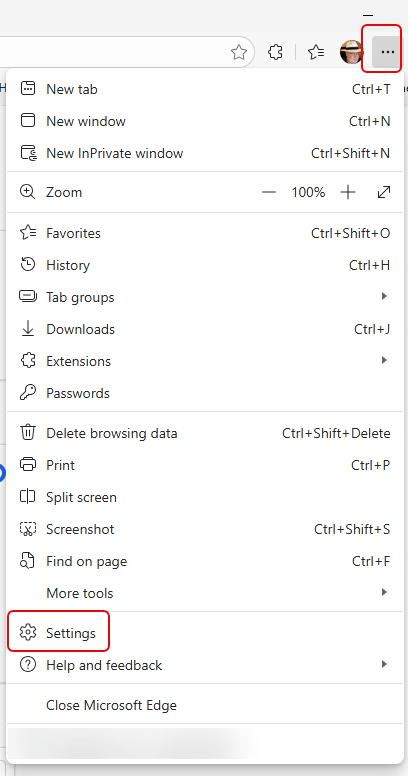
In Edge, click on the ellipsis and then click on Settings:
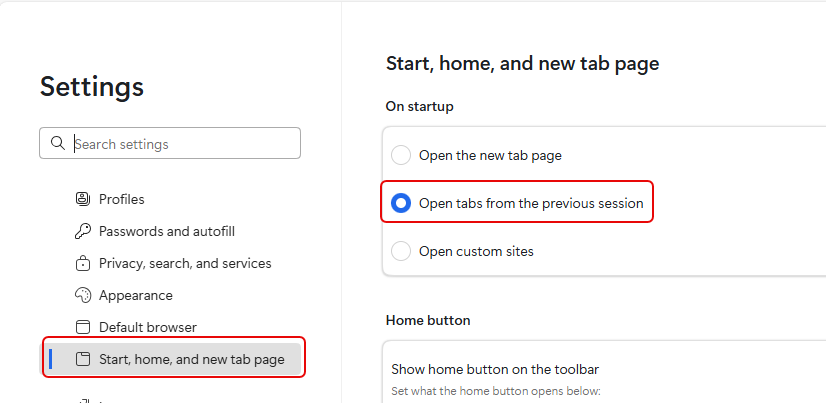
In Settings, go to Start, home, and new tab page and click on the option for Open tabs from the previous session:
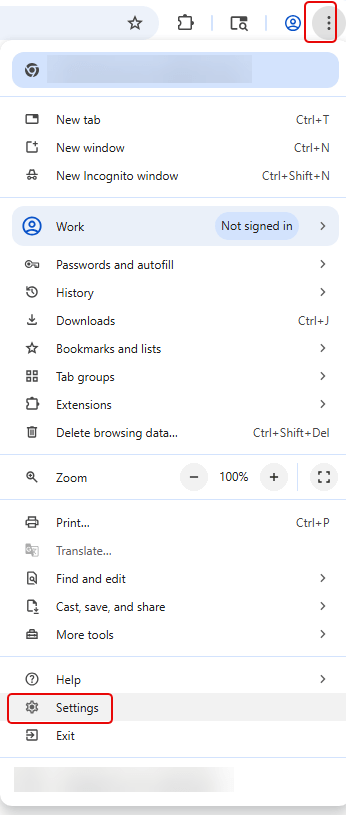
In Chrome, click on the vertical ellipsis and then click on Settings:
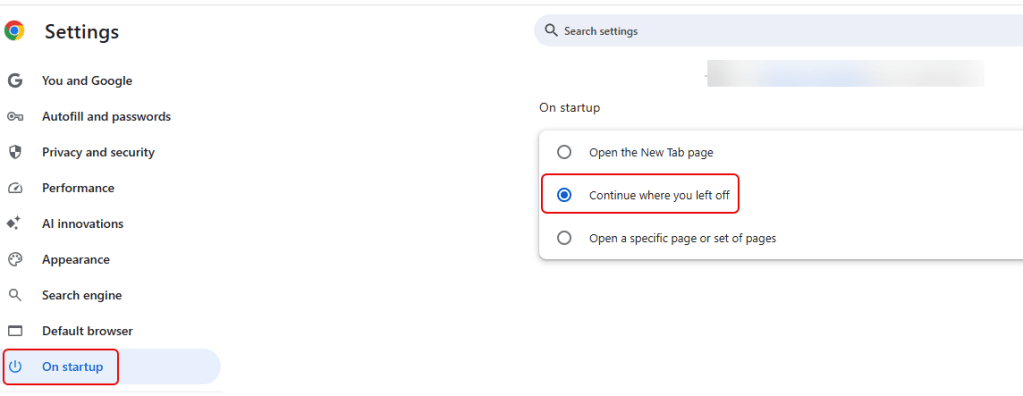
In Settings, click on On startup, and then click on the option for Continue where you left off:
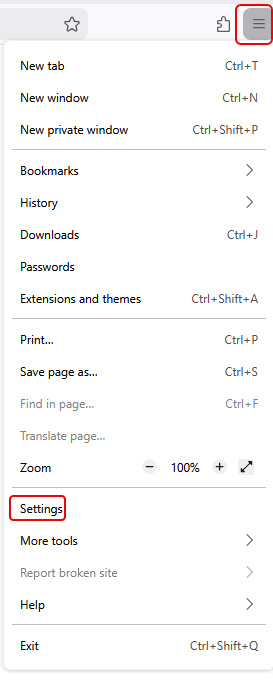
And finally in Firefox, click on the hamburger menu and select Settings:
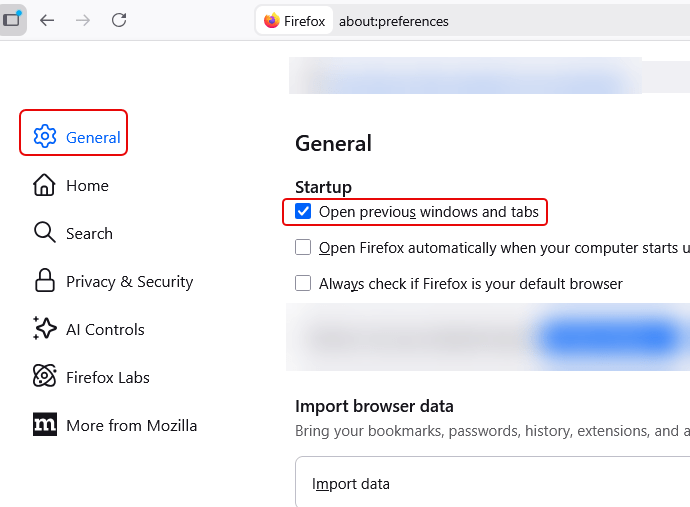
In Settings, click on General and then click on Open previous windows and tabs:
This is a great way to make sure you don’t lose track of anything you have open in tabs if your browser decides to take a nap on you…

 One Minute Office Magic