It’s not unusual to have large PDF files stored in your OneDrive that you’d like to email or share, but that are too large to do so. There’s now an option in OneDrive on the web that allows you to compress that PDF file (without destroying the original). Here’s how that works…
In this example, I have a PDF file open in the browser from OneDrive. To compress the file, I click on the Compress your PDF icon:

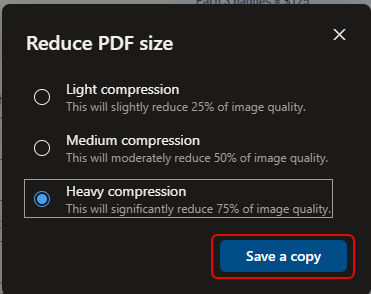
I have the option to use Light, Medium, or Heavy compression. This applies to the images in the PDF file and how much image quality will be sacrificed for the compression:
I then get the option to save the compressed file in my OneDrive (or elsewhere) with a new name “Compressed from <filename>, so that the original still exists:

In this example, the original file was 1.76 MB in size. After the heavy compression (still very viewable), it was down to 117 KB. This can be a lifesaver if you’re trying to send the file via email.

 One Minute Office Magic