Not being an Excel guru (or maybe even a novice!), I have run into issues before where I have data in a cell and I want to have a line break within the cell to continue typing. However, when I hit Enter, it goes to the next cell. I finally learned how to keep that line break in the same cell, and I’ll share it with you now… and also help myself to reinforce that skill. 🙂 Here’s how it works…
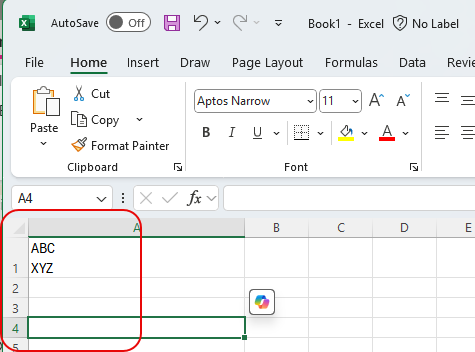
In this example, I wanted to have ABC and XYZ appear on separate lines in the same cell (A1). However, when I pressed Enter after ABC, I went into the next cell (A2):

To keep all the content in the same cell, I used ALT + Enter instead. Both character strings stayed in cell A1:
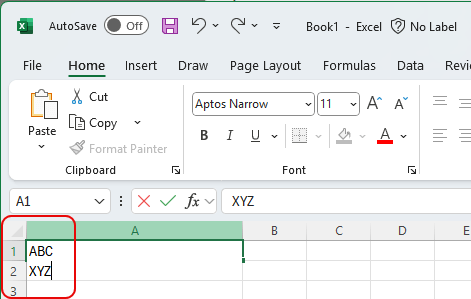
When I click outside of cell A1, I can see how the cell has an adjusted height to accommodate the text:
Likely something you probably already knew, and now I should remember it also. 🙂

 One Minute Office Magic