
SharePoint and OneDrive make it really easy to share files with others, but by default the recipient gets an email with the file link, and that’s about it. Wouldn’t it be nice to give them a summary of what’s in the file when they get that link email? With Copilot, it’s really simple. Here’s how that works…
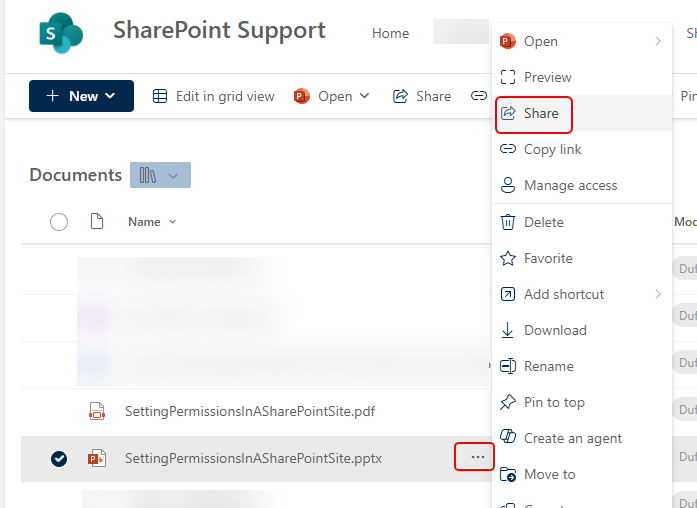
In this SharePoint document library, I want to share the SettingPermissionsInASharePointSite.pptx PowerPoint file. To start the sharing process, I click on the ellipsis and select Share:
While you’ve always had the option to add a message to the sharing email, it’s often left blank. If you have a Copilot license, you’ll now see the Copilot icon in the Add a message area:
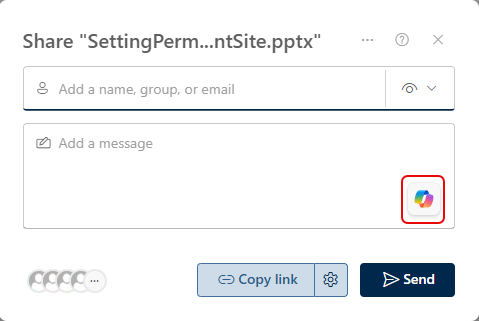
Hover over that icon and click on it to insert a Copilot-generated file summary:

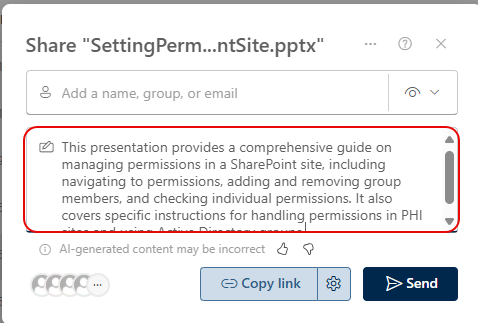
I now have a great synopsis of the file, and the recipient will have a good idea about what’s in the file before they click on the link:
I *really* like this feature…

 One Minute Office Magic