
If you’ve built SharePoint pages, you are probably familiar with the four background colors you could use in the sections of your pages. But now, you also have a choice of twelve additional colors/images that you can use. Here’s what they look like and how they work…
When editing the sections, you’ll see the twelve new options for colors and background images. Click on one of those selections to fill the section:

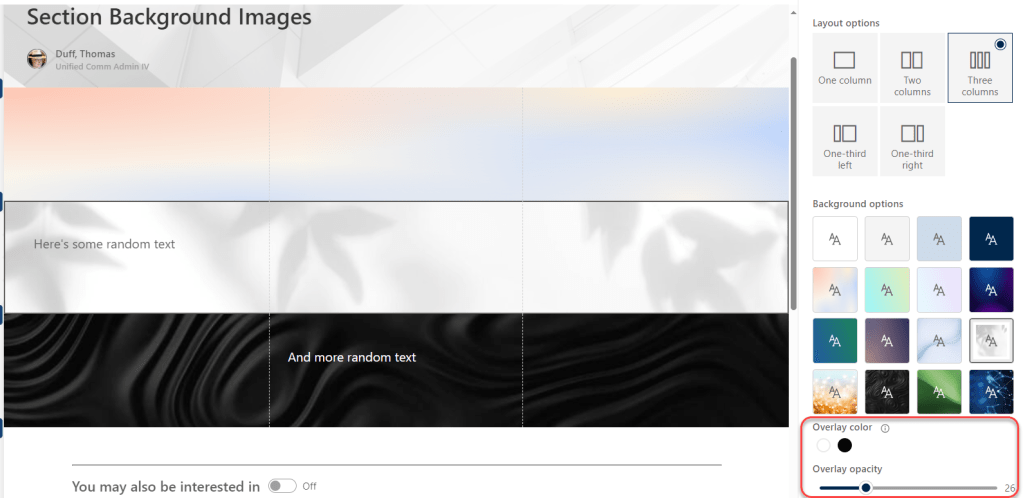
As you see here, I’ve put three different selections in three different sections. In addition to selecting the color or image, you can also make it lighter or darker with an overlay color, as well as making it less or more “see through” (Overlay opacity):
At this point in time, you cannot use your own images for sections, but Microsoft has mentioned that it may be a feature in the future.
Also, keep in mind that “just because you can, doesn’t mean you should.” Using these backgrounds sparingly can make your pages more attractive. Putting different ones in *every* single section could make your page look like it exploded. Use your new power wisely.
For more information, check out SharePoint Page Section Backgrounds.

 One Minute Office Magic