
I ran across this option today, and it’s a great way to remind yourself to watch a particular video that shows up on Stream. You can use the Add to option on a video to add it to your To Do list! Here’s how that looks…
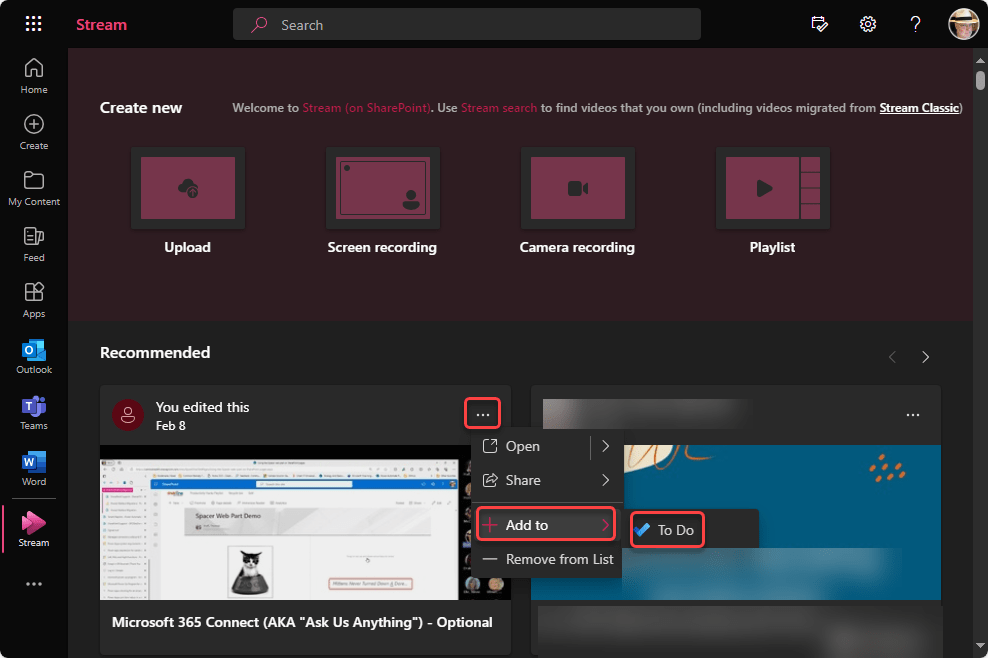
In Stream, I have a video I’d like to remember to watch at some point. I can click the ellipsis and select the Add to > To Do option:
Now when I go to To Do (or Tasks by Planner and To Do in Teams), I see that the title of that video has been added to my To Do list, and I can open up the item and put a date associated with when I want to watch it:
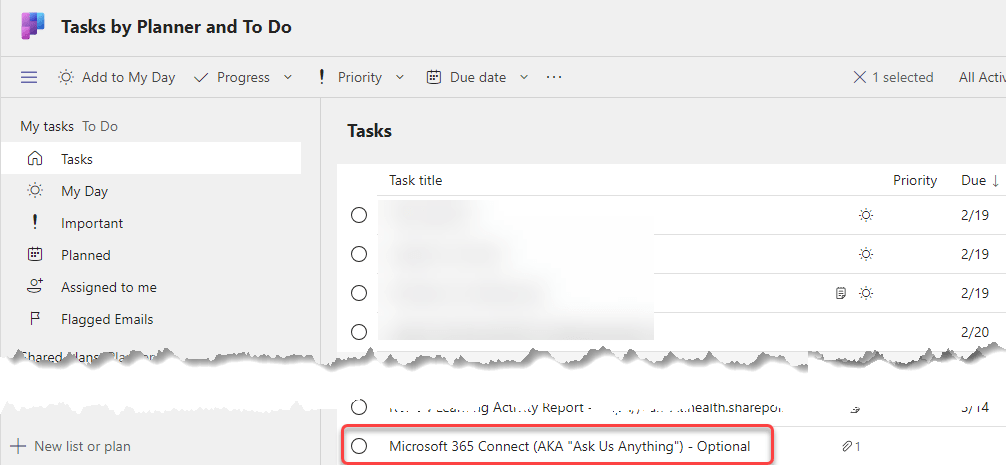
I’d like it better if they actually included a link to that video in the To Do entry, but unfortunately that is missing. You should remember to get the link to the video and add it to the To Do when you go and set the date for when you’ll view it.

 One Minute Office Magic