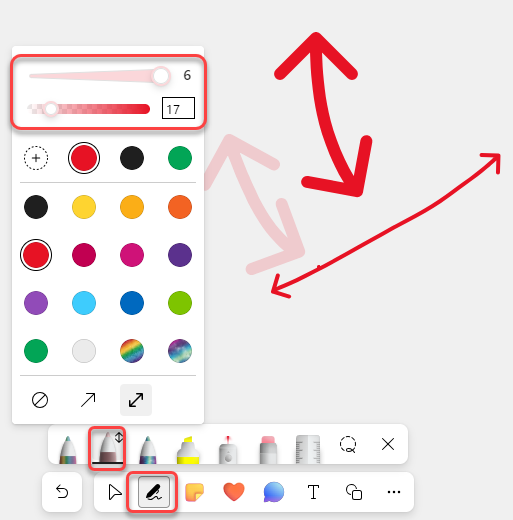
It used to be that when you were using the pen option in Microsoft Whiteboard, you were restricted when it came to line thickness and color opacity. No longer! You now have many more options in that area. Here’s what the new Ink Color Picker looks like…
In Whiteboard, you’ll see the options at the bottom of the screen. Select the Pen icon, and select one of the colored pens. Once you do that, you’ll see a new pop-up that allows you to select from a variety of colors, regular lines or arrows, line thickness, and color opacity!
This will give you a much better selection of ways to communicate and express yourself in Whiteboard.

 One Minute Office Magic